


Deep Security
趋势科技股份有限公司(英语:Trend Micro Inc.,日语:トレンドマイクロ株式会社;简称:趋势科技,Trend Micro,トレンドマイクロ)为一间跨国软件公司,提供电脑防毒软件及网络安全服务。来自台湾屏东的趋势科技董事长暨创办人张明正,于1988年赴美国创立趋势科技,至今全球营运据点遍及65个国家、共有超过6,700名员工。Trend Labs 为其全球技术支援与研发中心。
Trend Micro Deep Security 是一个提供深度包检查、入侵防御、恶意软件保护以及其他多层安全措施的综合性安全解决方案。由趋势科技(Trend Micro)开发,这个解决方案旨在为物理、虚拟、云环境中的服务器和应用提供保护。
Trend Micro Deep Security Manager (Version 20.0.1112) Copyright © 2025 Trend Micro Inc. All rights reserved
Deep Security Agent(DSA)
Deep Security Manager(DSM)
安装 DSM
修改计算机名
hostnamectl set-hostname DSM新建数据目录
mkdir -p /data/postgresql/data /data/deepsecurity/ds_agent安装 postgresql 数据库
安装 docker
curl https://download.docker.com/linux/centos/docker-ce.repo -o /etc/yum.repos.d/docker.repo && dnf install docker-ce -y && docker -v && systemctl enable --now docker运行 postgres 容器
docker run -d -p 5432:5432 --restart=always -v /data/postgresql/data:/var/lib/postgresql/data -e POSTGRES_PASSWORD=123456 --name postgres postgres:14进入 postgres 配置
[root@localhost ~]# docker exec -it postgres bash
root@c9d22040d219:/# psql -U postgres
psql (14.20 (Debian 14.20-1.pgdg13+1))
Type "help" for help.
postgres=# CREATE DATABASE "deepsecuritydb";
CREATE DATABASE
postgres=# CREATE ROLE "deepsecurity" WITH PASSWORD 'deepsecurity' LOGIN;
CREATE ROLE
postgres=# GRANT ALL PRIVILEGES ON DATABASE deepsecuritydb TO deepsecurity;
GRANT
postgres=# GRANT CONNECT ON DATABASE deepsecuritydb TO deepsecurity;
GRANT
postgres=# \q
root@c9d22040d219:/# exit
exit
准备一个 config 的文件命名
(1)DatabaseScreen.Hostname 是Postgre数据库的IP/域名 (2)Security manager的用户名密码是配置如下:
CredentialsScreen.Administrator.Username=masteradmin
CredentialsScreen.Administrator.Password=masteradmin
(3)数据库的用户名密码是配置如下(和Postgre数据库配置的一样):
DatabaseScreen.Username=deppsecurity
DatabaseScreen.Password=deppsecurity
[root@localhost ~]# vim /data/deepsecurity/config
DatabaseScreen.DatabaseType=PostgreSQL
DatabaseScreen.Hostname=127.0.0.1
DatabaseScreen.Transport=TCP
DatabaseScreen.DatabaseName=deepsecuritydb
DatabaseScreen.Username=deepsecurity
DatabaseScreen.Password=deepsecurity
AddressAndPortsScreen.ManagerPort=4119
AddressAndPortsScreen.HeartbeatPort=4120
CredentialsScreen.Administrator.Username=masteradmin
CredentialsScreen.Administrator.Password=masteradmin
CredentialsScreen.UseStrongPasswords=False
SecurityUpdateScreen.UpdateComponents=True
SecurityUpdateScreen.Proxy=False
SecurityUpdateScreen.ProxyAuthentication=False
SoftwareUpdateScreen.UpdateSoftware=True
下载 Manager-Linux-20.0.1112.x64.sh
下载文件安装 DSM(Deep Security Manager)
wget -O /data/deepsecurity/Manager-Linux-20.0.1112.x64.sh https://files.trendmicro.com/products/deepsecurity/en/20.0/Manager-Linux-20.0.1112.x64.sh
chmod +x /data/deepsecurity/Manager-Linux-20.0.1112.x64.sh 运行安装(无人值守)
-q:forces the installer to execute in unattended (silent) mode.
-console:forces messages to appear in the console (stdout).
[root@localhost ~]# /data/deepsecurity/Manager-Linux-20.0.1112.x64.sh -q -console -varfile config
Unpacking JRE ...
Starting Installer ...
Unattended (Silent) mode started
Checking for previous versions of Trend Micro Deep Security Manager...
Upgrade Verification Screen settings accepted...
The installation directory has been set to /opt/dsm.
Database Screen settings accepted...
The install readiness check is starting.
Readiness Check Summary report generated into path /data/deepsecurity/DeepSecurityInstallerReport.csv
The install readiness check is complete.
License Screen settings accepted...
Address And Ports Screen settings accepted...
Credentials Screen settings accepted...
Security Update Screen settings accepted...
Software Update Screen settings accepted...
Master key configuration settings accepted...
Smart Protection Network Screen settings accepted...
All settings accepted, ready to execute...
Stopping Trend Micro Deep Security Manager Service...
Extracting files ...
Setting Up...
Connecting to the Database...
Creating Database Schema...
Creating masteradmin Account...
Recording Settings...
Creating Temporary Directory...
Installing Reports...
Installing Modules and Plug-ins...
Validating and Applying Activation Codes...
Configure Localizable Settings...
Setting Default Password Policy...
Creating Scheduled Tasks...
Creating Asset Importance Entries...
Creating Auditor Role...
Optimizing...
Importing Software Packages...
Configuring Relay For Install...
Configuring DSA For Install...
Importing Performance Profiles...
Recording Installation...
Clearing Sessions...
Creating Properties File...
Creating Shortcut...
Configuring SSL...
Configuring Service...
Configuring Java Security...
Configuring Java Logging...
Cleaning Up...
Starting Deep Security Manager...
Finish Installation ...
安装完成 确认状态
[root@localhost ~]# systemctl status dsm_s.service
● dsm_s.service - Deep Security Manager
Loaded: loaded (/etc/systemd/system/dsm_s.service; enabled; preset: disabled)
Active: active (exited) since Thu 2025-12-04 23:26:07 CST; 1min 32s ago
Process: 35699 ExecStart=/opt/dsm/dsm_s start (code=exited, status=0/SUCCESS)
Main PID: 35699 (code=exited, status=0/SUCCESS)
Tasks: 0 (limit: 50144)
Memory: 2.4M
CPU: 675ms
CGroup: /system.slice/dsm_s.service
12月 04 23:26:06 localhost.localdomain systemd[1]: Starting Deep Security Manager...
12月 04 23:26:07 localhost.localdomain dsm_s[35699]: Starting dsm_s
12月 04 23:26:07 localhost.localdomain systemd[1]: Finished Deep Security Manager.
[root@localhost ~]# netstat -tlnup | grep 41
tcp6 0 0 :::4120 :::* LISTEN 35408/java
tcp6 0 0 :::4119 :::* LISTEN 35408/java
防火墙放行端口
firewall-cmd --permanent --add-port={4119,4120}/tcp && firewall-cmd --reloadWeb 访问
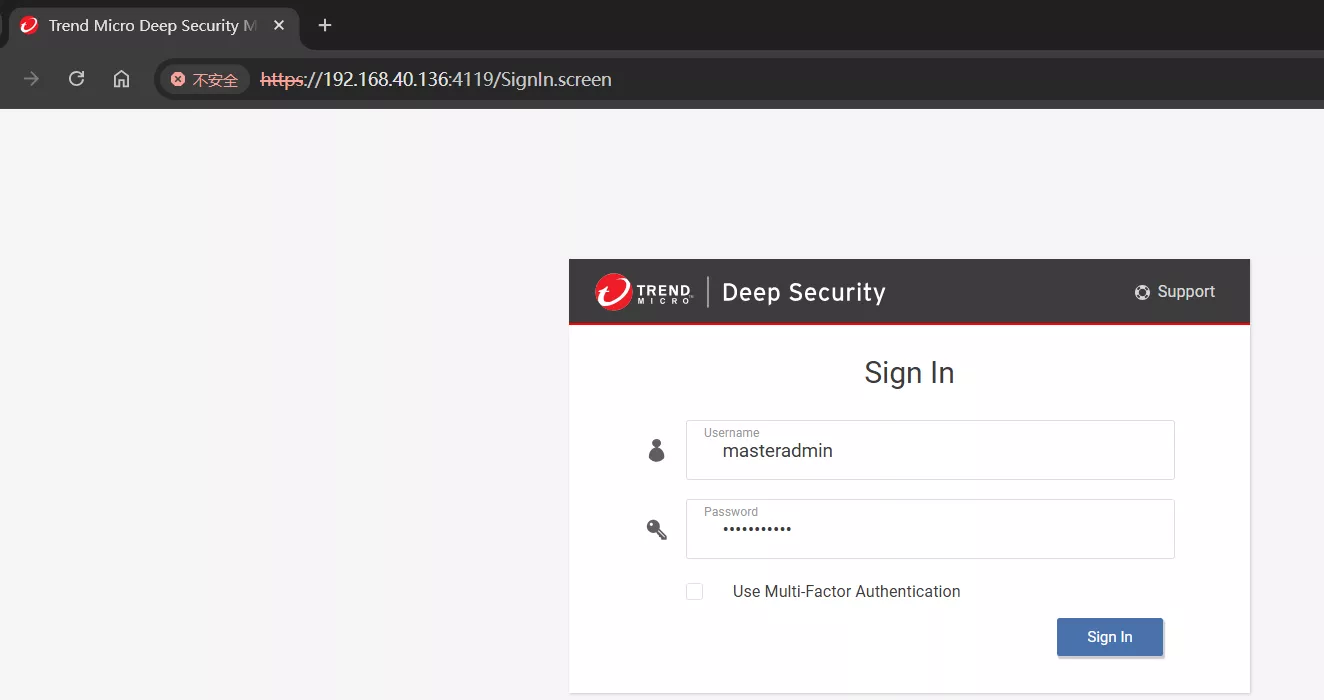
Username:masteradmin Password:masteradmin
设置允许 Agent 注册
Administration → System Settings → Agents
点 Save 保存。
安装 DSA
通过 Trendmicro 官网下载 Agent 包
下载安装包(zip文件)
wget -O /data/deepsecurity/ds_agent/Agent-RedHat_EL9-20.0.2-26670.x86_64.zip https://files.trendmicro.com/products/deepsecurity/en/20.0/Agent-RedHat_EL9-20.0.2-26670.x86_64.zip解压zip文件
unzip /data/deepsecurity/ds_agent/Agent-RedHat_EL9-20.0.2-26670.x86_64.zip -d /data/deepsecurity/ds_agent/Agent-RedHat_EL9-20.0.2-26670.x86_64执行安装
Agent-Core-*.rpm(主程序)
Agent-PGPCore-*.rpm(磁盘加密模块,可选)
rpm -i /data/deepsecurity/ds_agent/Agent-RedHat_EL9-20.0.2-26670.x86_64/Agent-Core-RedHat_EL9-20.0.2-26670.x86_64.rpm /data/deepsecurity/ds_agent/Agent-RedHat_EL9-20.0.2-26670.x86_64/Agent-PGPCore-RedHat_EL9-20.0.2-26670.x86_64.rpmDSA 主动向 DSM 发起激活/注册请求
# 查看连接状态
/opt/ds_agent/dsa_control -m
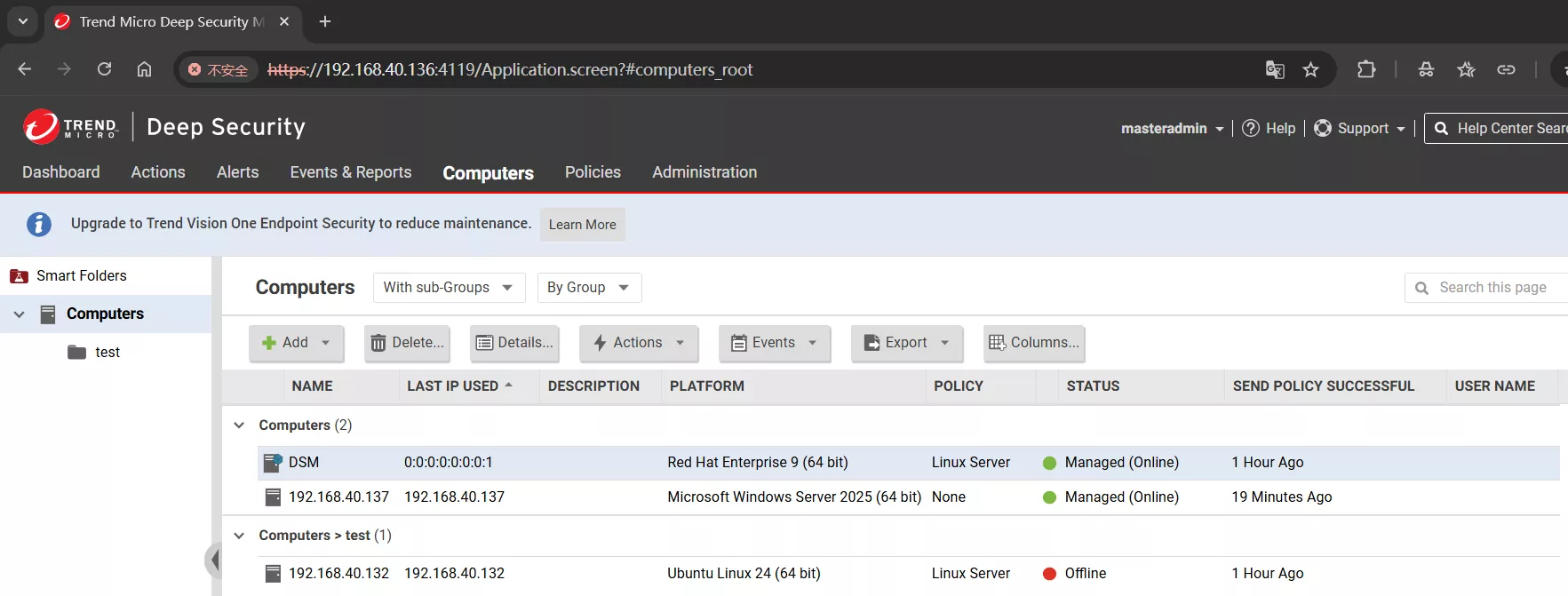
[root@localhost ~]# /opt/ds_agent/dsa_control -a dsm://127.0.0.1:4120
2025-12-05 00:08:04.319115 [+0800]: Activation will be re-attempted 30 time(s) in case of failure
HTTP Status: 200 - OK
Response:
Attempting to connect to https://127.0.0.1:4120/
SSL handshake completed successfully - initiating command session.
Connected with ECDHE-RSA-AES256-GCM-SHA384 to peer at 127.0.0.1
Received a 'GetHostInfo' command from the manager.
Received a 'SetDSMCert' command from the manager.
Received a 'SetAgentCredentials' command from the manager.
Received a 'GetAgentEvents' command from the manager.
Received a 'SetAgentStatus' command from the manager.
Received a 'GetInterfaces' command from the manager.
Received a 'GetAgentEvents' command from the manager.
Received a 'GetCapabilities' command from the manager.
Received a 'GetAgentStatus' command from the manager.
Received a 'GetAgentEvents' command from the manager.
Received a 'GetDockerVersion' command from the manager.
Received a 'GetCRIOVersion' command from the manager.
Received a 'GetPodmanVersion' command from the manager.
Received a 'SetXDRInformation' command from the manager.
Received a 'SetSecurityConfiguration' command from the manager.
Received a 'GetAgentEvents' command from the manager.
Received a 'GetAgentStatus' command from the manager.
Received a 'SetDSMCACert' command from the manager.
Received a 'GetIoT' command from the manager.
Received a 'SetIoT' command from the manager.
Command session completed.
Ubuntu 系统(DSM 生成一键部署脚本)
脚本生成(Web Console)
在 Web Console 找到以下位置,选中要安装的 Agent 版本后生成保存脚本:
Administration → Updates → Software → Local → Generate Deployment Scripts → Save to file
脚本内容
root@Lan-Platform:~# cat AgentDeploymentScript.sh
#!/bin/bash
ACTIVATIONURL='dsm://192.168.40.136:4120/'
MANAGERURL='https://192.168.40.136:4119'
CURLOPTIONS='--silent --tlsv1.2'
linuxPlatform='';
isRPM='';
if [[ $(/usr/bin/id -u) -ne 0 ]]; then
echo You are not running as the root user. Please try again with root privileges.;
logger -t You are not running as the root user. Please try again with root privileges.;
exit 1;
fi;
rm -f /tmp/PlatformDetection
rm -f /tmp/agent.*
if ! type curl >/dev/null 2>&1; then
echo "Please install CURL before running this script."
logger -t Please install CURL before running this script
exit 1
fi
curl $MANAGERURL/software/deploymentscript/platform/linuxdetectscriptv1/ -o /tmp/PlatformDetection $CURLOPTIONS --insecure
curlRet=$?
if [[ $curlRet == 0 && -s /tmp/PlatformDetection ]]; then
. /tmp/PlatformDetection
elif [[ $curlRet -eq 60 ]]; then
echo "TLS certificate validation for the agent package download has failed. Please check that your Deep Security Manager TLS certificate is signed by a trusted root certificate authority. For more information, search for \"deployment scripts\" in the Deep Security Help Center."
logger -t TLS certificate validation for the agent package download has failed. Please check that your Deep Security Manager TLS certificate is signed by a trusted root certificate authority. For more information, search for \"deployment scripts\" in the Deep Security Help Center.
exit 1;
else
echo "Failed to download the agent installation support script."
logger -t Failed to download the Deep Security Agent installation support script
exit 1
fi
platform_detect
if [[ -z "${linuxPlatform}" ]] || [[ -z "${isRPM}" ]]; then
echo Unsupported platform is detected
logger -t Unsupported platform is detected
exit 1
fi
echo Downloading agent package...
if [[ $isRPM == 1 ]]; then package='agent.rpm'
else package='agent.deb'
fi
curl -H "Agent-Version-Control: on" $MANAGERURL/software/agent/${runningPlatform}${majorVersion}/${archType}/$package?tenantID= -o /tmp/$package $CURLOPTIONS --insecure
curlRet=$?
isPackageDownloaded='No'
if [ $curlRet -eq 0 ];then
if [[ $isRPM == 1 && -s /tmp/agent.rpm ]]; then
file /tmp/agent.rpm | grep "RPM";
if [ $? -eq 0 ]; then
isPackageDownloaded='RPM'
fi
elif [[ -s /tmp/agent.deb ]]; then
file /tmp/agent.deb | grep "Debian";
if [ $? -eq 0 ]; then
isPackageDownloaded='DEB'
fi
fi
fi
echo Installing agent package...
rc=1
if [[ ${isPackageDownloaded} = 'RPM' ]]; then
rpm -ihv /tmp/agent.rpm
rc=$?
elif [[ ${isPackageDownloaded} = 'DEB' ]]; then
dpkg -i /tmp/agent.deb
rc=$?
else
echo Failed to download the agent package. Please make sure the package is imported in the Deep Security Manager
logger -t Failed to download the agent package. Please make sure the package is imported in the Deep Security Manager
exit 1
fi
if [[ ${rc} != 0 ]]; then
echo Failed to install the agent package
logger -t Failed to install the agent package
exit 1
fi
echo Install the agent package successfully
sleep 15
/opt/ds_agent/dsa_control -r
/opt/ds_agent/dsa_control -a $ACTIVATIONURL "policyid:8" "groupid:1"
# /opt/ds_agent/dsa_control -a dsm://192.168.40.136:4120/ "policyid:8" "groupid:1"安装 curl 工具
下载 Agent 需要使用 curl
root@Lan-Platform:~# apt install curl -y执行脚本安装
root@Lan-Platform:~# chmod +x AgentDeploymentScript.sh
root@Lan-Platform:~# ./AgentDeploymentScript.sh
Downloading agent package...
/tmp/agent.deb: Debian binary package (format 2.0), with control.tar.xz , data compression xz
Installing agent package...
正在选中未选择的软件包 ds-agent。
(正在读取数据库 ... 系统当前共安装有 155445 个文件和目录。)
准备解压 /tmp/agent.deb  ...
Installer target platform is Ubuntu 24
正在解压 ds-agent (20.0.2.26670) ...
正在设置 ds-agent (20.0.2.26670) ...
Grant permission 0755 for the working directory
Grant permission 0755 for the directory '/var/opt'
Reset BLP
Enable ds_agent with systemd
Created symlink /etc/systemd/system/multi-user.target.wants/ds_agent.service → /usr/lib/systemd/system/ds_agent.service.
Install the agent package successfully
HTTP Status: 200 - OK
2025-12-07 20:04:05.058681 [+0800]: Activation will be re-attempted 30 time(s) in case of failure
2025-12-07 20:04:05.058898 [+0800]: dsa_control
HTTP Status: 200 - OK
Response:
Attempting to connect to https://192.168.40.136:4120/
SSL handshake completed successfully - initiating command session.
Connected with ECDHE-RSA-AES256-GCM-SHA384 to peer at 192.168.40.136
Received a 'GetHostInfo' command from the manager.
Received a 'SetDSMCert' command from the manager.
Received a 'SetAgentCredentials' command from the manager.
Received a 'GetAgentEvents' command from the manager.
Received a 'SetAgentStatus' command from the manager.
Received a 'GetInterfaces' command from the manager.
Received a 'GetAgentEvents' command from the manager.
Received a 'GetHostMetaDataQueryCapabilities' command from the manager.
Received a 'GetHostMetaData' command from the manager.
Received a 'GetHostMetaData' command from the manager.
Received a 'GetCapabilities' command from the manager.
Received a 'GetAgentStatus' command from the manager.
Received a 'GetAgentEvents' command from the manager.
Received a 'GetDockerVersion' command from the manager.
Received a 'GetCRIOVersion' command from the manager.
Received a 'GetPodmanVersion' command from the manager.
Received a 'SetXDRInformation' command from the manager.
Received a 'SetSecurityConfiguration' command from the manager.
Received a 'GetAgentEvents' command from the manager.
Received a 'GetAgentStatus' command from the manager.
Received a 'SetDSMCACert' command from the manager.
Received a 'GetIoT' command from the manager.
Received a 'SetIoT' command from the manager.
Command session completed.
root@Lan-Platform:~# /opt/ds_agent/dsa_control -m "hostname:$(hostname)"
2025-12-07 20:10:48.950726 [+0800]: dsa_control
HTTP Status: 200 - OK
Response:
Manager contact has been scheduled to occur in the next few seconds.Windows Agent 安装(DSM 生成一键部署脚本)
进入脚本存放的目录
PS C:\Users\Administrator> cd Downloads允许 Powershell 运行 ps1 脚本
PowerShell 默认禁止运行下载的 .ps1 脚本
PS C:\Users\Administrator\Downloads> Set-ExecutionPolicy -Scope Process -ExecutionPolicy Bypass
Execution Policy Change
The execution policy helps protect you from scripts that you do not trust. Changing the execution policy might expose
you to the security risks described in the about_Execution_Policies help topic at
https:/go.microsoft.com/fwlink/?LinkID=135170. Do you want to change the execution policy?
[Y] Yes [A] Yes to All [N] No [L] No to All [S] Suspend [?] Help (default is "N"): Y
执行安装
PS C:\Users\Administrator\Downloads> .\AgentDeploymentScript.ps1
Directory: C:\Users\Administrator\AppData\Roaming\Trend Micro\Deep Security Agent
Mode LastWriteTime Length Name
---- ------------- ------ ----
d----- 12/7/2025 5:12 AM installer
Transcript started, output file is C:\Users\Administrator\AppData\Roaming\Trend Micro\Deep Security Agent\installer\dsa_deploy.log
5:12:26 AM - DSA download started
5:12:26 AM - Download Deep Security Agent Package
https://192.168.40.136:4119/software/agent/Windows/x86_64/agent.msi
5:12:30 AM - Downloaded File Size:
148893696
5:12:30 AM - DSA install started
5:12:30 AM - Installer Exit Code:
0
5:13:07 AM - DSA activation started
HTTP Status: 200 - OK
2025-12-07 05:13:59.719237 [-0800]: Activation will be re-attempted 30 time(s) in case of failure
HTTP Status: 200 - OK
Response:
Attempting to connect to https://192.168.40.136:4120/
SSL handshake completed successfully - initiating command session.
Connected with ECDHE-RSA-AES256-GCM-SHA384 to peer at 192.168.40.136
Received a 'GetHostInfo' command from the manager.
Received a 'SetDSMCert' command from the manager.
Received a 'SetAgentCredentials' command from the manager.
Received a 'GetAgentEvents' command from the manager.
Received a 'SetAgentStatus' command from the manager.
Received a 'GetInterfaces' command from the manager.
Received a 'GetAgentEvents' command from the manager.
Received a 'GetHostMetaDataQueryCapabilities' command from the manager.
Received a 'GetHostMetaData' command from the manager.
Received a 'GetHostMetaData' command from the manager.
Received a 'GetCapabilities' command from the manager.
Received a 'GetAgentStatus' command from the manager.
Received a 'GetAgentEvents' command from the manager.
Received a 'GetDockerVersion' command from the manager.
Received a 'GetCRIOVersion' command from the manager.
Received a 'GetPodmanVersion' command from the manager.
Received a 'SetXDRInformation' command from the manager.
Received a 'SetSecurityConfiguration' command from the manager.
Received a 'GetAgentEvents' command from the manager.
Received a 'GetAgentStatus' command from the manager.
Received a 'SetDSMCACert' command from the manager.
Received a 'GetIoT' command from the manager.
Received a 'SetIoT' command from the manager.
Command session completed.
Transcript stopped, output file is C:\Users\Administrator\AppData\Roaming\Trend Micro\Deep Security Agent\installer\dsa_deploy.log
5:14:02 AM - DSA Deployment Finished名词介绍
Policy
Policy 就是“安全模板”:一次写好规则,批量下发给 Agent,决定防病毒、防火墙、IPS 等模块开不开、怎么开、发现威胁后如何处理。
Asset Importance 资产重要性标记
Asset Importance 就是“资产重要性标记”(1-Low / 2-Medium / 3-High / 4-Critical),用来让 Deep Security 在 事件优先级、告警、仪表板、报表 里一眼区分“这台主机有多关键”,而 不是 再去逐台翻主机名。
DSM *中继(Relay)
4122/tcp
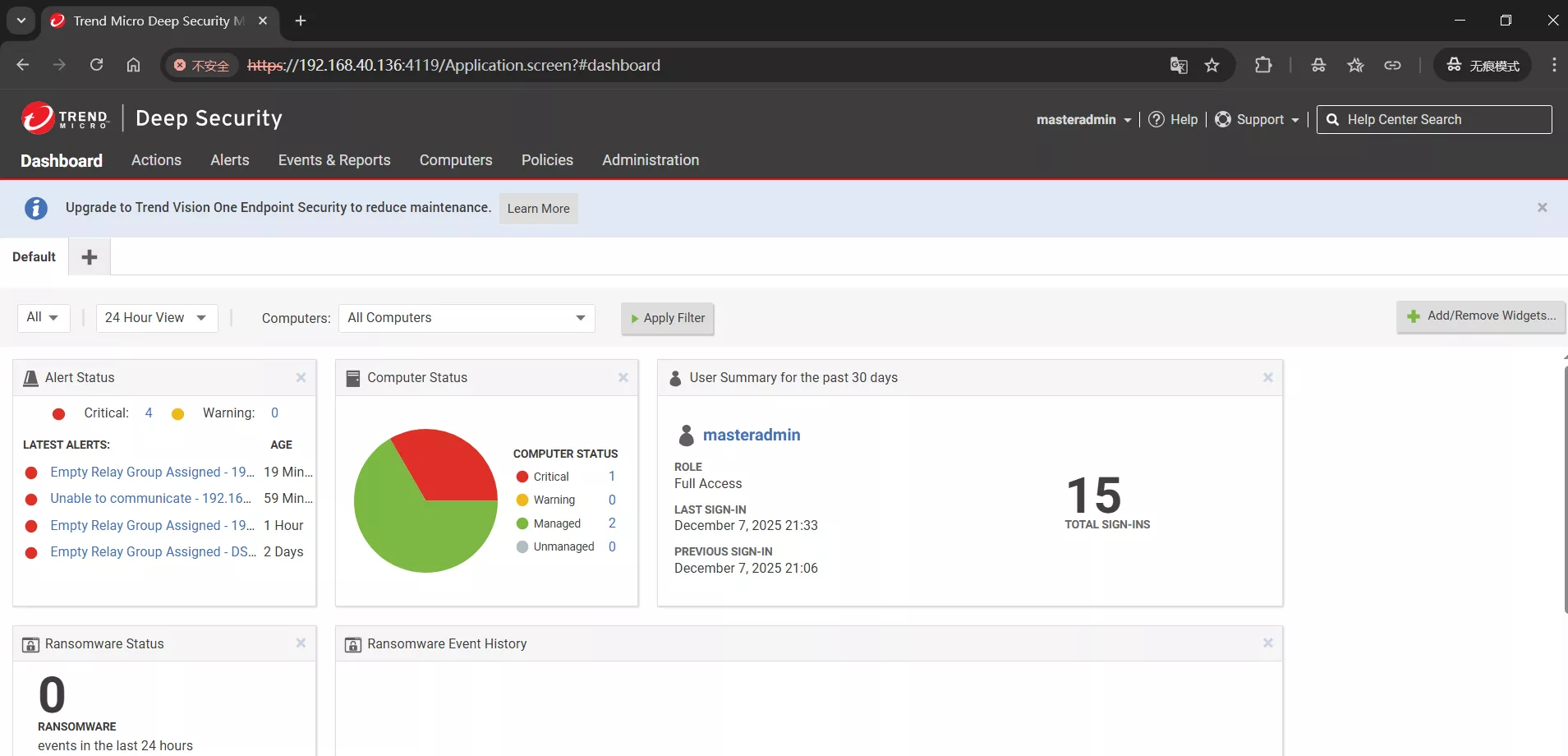
DSM 中继(Relay) 就是“本地分发服务器”—— 把 病毒码、IPS 规则、Agent 升级包、内核模块 从 Trend 云端先拉到内网一台 Relay 服务器,再让所有 Agent/DSM 走内网更新,既省带宽又避免断网场景无法升级。
步骤:
Administration → Updates → Software → Local → Import Relay Package
Computers → 勾选目标主机 → Actions → Add Relay
设置 Download Schedule → 完成。
以后所有 Agent 的 “Download Updates” 地址自动指向这组 Relay。


评论区